Most business owners don't lose deals because their product isn't good. They lose deals because the operation behind the product can't keep up.
A lead comes in after hours and sits. A follow-up gets delayed because someone's "just slammed." Scheduling turns into a back-and-forth email chain. And the only place you can see what's going on is… a spreadsheet that nobody trusts.
Sound familiar?
This post is your weekend reset. Not "do more." Not "work harder." Just fix the friction so Monday feels lighter.
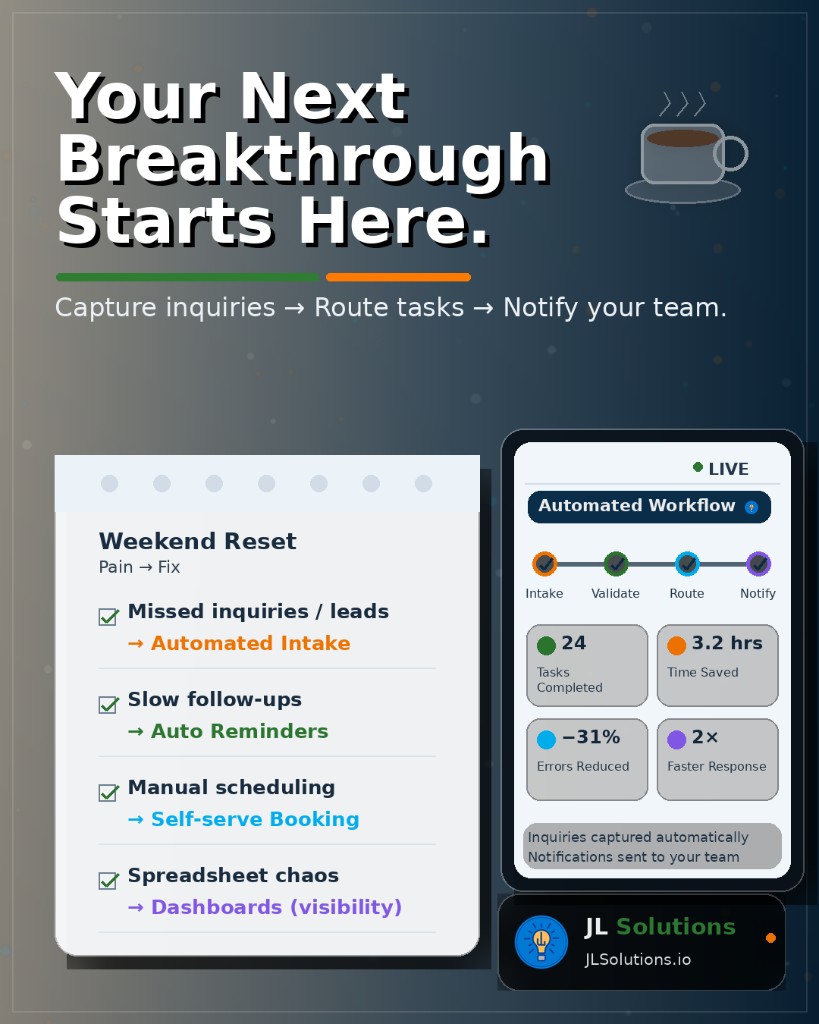
The 4 Pain Points That Quietly Cost You Money
1) Missed Inquiries / Leads
You can't respond to what you don't capture. If inquiries show up in different places (email, DMs, website forms, phone calls, referrals), it's easy to miss one -especially when you're busy doing the actual work you sell.
What it costs: lost revenue + missed opportunities + weaker word-of-mouth.
Fix: Automated Intake - Capture every inquiry automatically in one place, instantly.
2) Slow Follow-Ups
Most businesses don't lose leads because they said "no." They lose leads because someone else responded faster.
If your follow-up depends on memory, time, or a perfectly managed inbox… it's not a system. It's hope.
What it costs: lower conversion rates + inconsistent sales + frustrated prospects.
Fix: Auto Reminders - Automated nudges keep you and your team moving without mental overhead.
3) Manual Scheduling
If scheduling is a "send a few times / wait / reschedule / confirm" loop, it's stealing time from the very thing you're trying to grow.
What it costs: admin time + dropped appointments + slower deal cycles.
Fix: Self-Serve Booking - Let clients pick from your real availability. Confirmations, reminders, and follow-up messages can all run automatically.
4) Spreadsheet Chaos
Spreadsheets aren't evil. But when they're used as your "system," they become a bottleneck. If updates are manual, ownership is unclear, and you're constantly asking "is this current?"… you don't have visibility.
What it costs: errors + duplicated work + stress + decisions made on outdated info.
Fix: Dashboards (Visibility) - A simple dashboard shows what's happening at a glance -without digging, guessing, or asking around.
What the "Automated Workflow" Actually Means
This is the part people overcomplicate. A strong operations workflow is usually just this:
Capture inquiries → Route tasks → Notify your team
That's it.
It can be built to fit your business, whether you're selling:
- Services - consulting, agencies, contractors, clinics, coaching
- Products - e-commerce, local retail, fulfillment
- Appointments - medical, legal, beauty, fitness
- B2B offerings - software, operations, logistics, staffing
The goal is always the same: remove manual steps that create delays and errors.
What You Get When You Fix the Flow
When your operation stops leaking time, you get back:
- Faster response time
- More leads captured
- Fewer mistakes
- Better handoffs between people
- Clear visibility into what's happening
- Less stress in your day
And the biggest win? You stop feeling like your business is running you.
A Simple Weekend Prompt to Start With
Take 2 minutes and answer this:
What's one operational hiccup you wish would just… disappear?
Examples:
- "I keep losing track of leads."
- "My follow-ups are inconsistent."
- "Scheduling is a mess."
- "I don't know what stage anything is in."
- "I'm doing too much manual data entry."
That answer is usually the beginning of your automation plan.
Let's Turn Your Pain Point Into a System
If you're ready to replace chaos with control, we'll help you map a workflow that fits your business and your tools -without turning your operation into a complicated science project.
JL Solutions builds clarity from complexity -so you can spend less time managing the mess and more time growing.